🚀 Introduction #
So far in this series, we’ve explored:
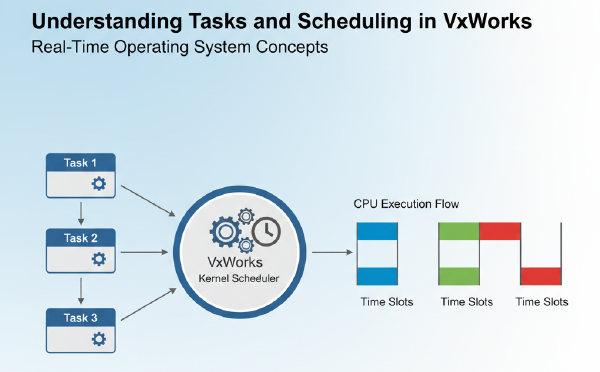
- Tasks and scheduling
- Semaphores for synchronization
- Message queues for inter-task communication
Now it’s time to dive deeper into the hardware side of VxWorks: device drivers.
In this tutorial, you’ll learn:
- What device drivers are in VxWorks.
- The difference between built-in drivers and custom drivers.
- How to write a simple character device driver with a read/write interface.
🧩 What is a Device Driver? #
A device driver is a software layer that allows the VxWorks kernel and user tasks to interact with hardware devices in a uniform way.
In VxWorks:
- Drivers are usually integrated into the I/O system.
- A device is represented as a file-like object (open, read, write, close).
- Developers implement driver routines (e.g.,
open(),read(),write(),ioctl()).
💻 Example: A Simple Character Device Driver #
We’ll create a dummy driver called /myDev/ that stores a small buffer in memory.
Tasks can write to it and read from it, just like a file.
Code Example #
#include <vxWorks.h>
#include <iosLib.h>
#include <errnoLib.h>
#include <stdio.h>
#include <string.h>

#define BUFFER_SIZE 128

// Device buffer
static char deviceBuffer[BUFFER_SIZE];
static int dataLength = 0;

// Forward declarations
int myOpen(DEV_HDR *pDev, const char *name, int flags, int mode);
int myClose(DEV_HDR *pDev);
ssize_t myRead(DEV_HDR *pDev, char *buffer, size_t maxBytes);
ssize_t myWrite(DEV_HDR *pDev, const char *buffer, size_t nBytes);

// Driver table
typedef struct {
    DEV_HDR devHdr;
} MY_DEV;

MY_DEV myDevice;

// Open device
int myOpen(DEV_HDR *pDev, const char *name, int flags, int mode)
{
    printf("Device opened: %s\n", name);
    return (int)pDev;
}

// Close device
int myClose(DEV_HDR *pDev)
{
    printf("Device closed\n");
    return 0;
}

// Read device
ssize_t myRead(DEV_HDR *pDev, char *buffer, size_t maxBytes)
{
    int bytesToCopy = (dataLength < maxBytes) ? dataLength : maxBytes;
    memcpy(buffer, deviceBuffer, bytesToCopy);
    printf("Device read: %d bytes\n", bytesToCopy);
    return bytesToCopy;
}

// Write device
ssize_t myWrite(DEV_HDR *pDev, const char *buffer, size_t nBytes)
{
    int bytesToCopy = (nBytes < BUFFER_SIZE) ? nBytes : BUFFER_SIZE;
    memcpy(deviceBuffer, buffer, bytesToCopy);
    dataLength = bytesToCopy;
    printf("Device write: %d bytes\n", bytesToCopy);
    return bytesToCopy;
}

// Install device
void myDevCreate()
{
    iosDrvInstall((FUNCPTR)myOpen, (FUNCPTR)myClose,
                  (FUNCPTR)myOpen, (FUNCPTR)myClose,
                  (FUNCPTR)myRead, (FUNCPTR)myWrite, NULL);

    iosDevAdd(&myDevice.devHdr, "/myDev/", 0);
    printf("Device /myDev/ created\n");
}
📝 Explanation of the Code #
-
iosDrvInstall()
- Registers driver functions (open, close, read, write).
-
iosDevAdd()
- Adds a device node (in this case
/myDev/) into the VxWorks I/O system.
- Adds a device node (in this case
-
Driver Functions
myWrite()stores data in a buffer.myRead()retrieves data from the buffer.
-
Usage
- Once
myDevCreate()is called (e.g., fromusrAppInit()), tasks can use standard APIs like:
- Once
int fd = open("/myDev/", O_RDWR, 0);
write(fd, "Hello Driver", 12);
char buffer[32];
read(fd, buffer, sizeof(buffer));
close(fd);
⚡ What You’ll See #
When running this program, the output will look like:
Device /myDev/ created
Device opened: /myDev/
Device write: 12 bytes
Device read: 12 bytes
Device closed
🔍 Key Takeaways #
- VxWorks device drivers integrate with the I/O system.
- Drivers expose file-like operations (
open,read,write). - You can simulate hardware using memory-backed drivers for testing.
✅ Wrap-Up #
In this tutorial, you learned:
- The basics of device drivers in VxWorks.
- How to write and register a simple character driver.
- How tasks can interact with a device as if it were a file.
In the next blog, we’ll extend this by exploring interrupt handling in VxWorks drivers.
👉 Stay tuned for Blog 6: “Interrupt Handling in VxWorks Device Drivers.”