🚀 Introduction #
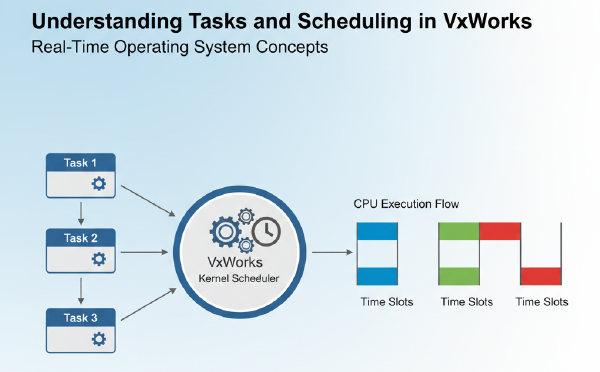
In the previous blog Understanding Tasks and Scheduling in VxWorks, we explored tasks and scheduling in VxWorks.
Now, let’s solve a common challenge:
➡️ How do tasks coordinate with each other without causing race conditions?
The answer lies in semaphores.
In this tutorial, you’ll learn:
- What semaphores are in VxWorks.
- The difference between binary and counting semaphores.
- How to use a binary semaphore to synchronize two tasks.
🧩 What is a Semaphore? #
A semaphore is a synchronization object used to control access to shared resources.
Types in VxWorks:
-
Binary Semaphore
- Values:
0or1. - Used for signaling (e.g., one task notifies another).
- Values:
-
Counting Semaphore
- Values:
0toN. - Used for managing access to a pool of identical resources.
- Values:
💻 Example: Binary Semaphore Between Two Tasks #
We’ll create two tasks:
- Producer Task → signals the semaphore.
- Consumer Task → waits for the semaphore before running.
Code Example #
#include <vxWorks.h>
#include <taskLib.h>
#include <semLib.h>
#include <stdio.h>
#include <unistd.h>

SEM_ID syncSem;  // Semaphore ID

// Producer task: gives semaphore
void producerTask()
{
    while (1)
    {
        printf("Producer: signaling the semaphore...\n");
        semGive(syncSem); // Release the semaphore
        sleep(2);         // Wait 2 seconds
    }
}

// Consumer task: waits for semaphore
void consumerTask()
{
    while (1)
    {
        semTake(syncSem, WAIT_FOREVER); // Block until semaphore is given
        printf("Consumer: received signal, running task!\n");
    }
}

void usrAppInit(void)
{
    // Create a binary semaphore, initially empty (0)
    syncSem = semBCreate(SEM_Q_PRIORITY, SEM_EMPTY);

    // Spawn producer task (priority 100)
    taskSpawn("tProducer", 100, 0, 2000, (FUNCPTR)producerTask,
              0,0,0,0,0,0,0,0,0,0);

    // Spawn consumer task (priority 150)
    taskSpawn("tConsumer", 150, 0, 2000, (FUNCPTR)consumerTask,
              0,0,0,0,0,0,0,0,0,0);
}
📝 Explanation of the Code #
-
semBCreate()
- Creates a binary semaphore.
SEM_Q_PRIORITY→ wake tasks in priority order.SEM_EMPTY→ starts with value0.
-
Producer Task
- Calls
semGive()every 2 seconds to release the semaphore.
- Calls
-
Consumer Task
- Calls
semTake()and blocks until the producer signals.
- Calls
⚡ What You’ll See #
The output should look like:
Producer: signaling the semaphore...
Consumer: received signal, running task!
Producer: signaling the semaphore...
Consumer: received signal, running task!
...
The consumer only runs when the producer gives the semaphore.
🔍 Key Takeaways #
- Semaphores are essential for synchronizing tasks in VxWorks.
- Binary semaphores are perfect for signaling between tasks.
- Without semaphores, tasks could run into race conditions or inconsistent states.
✅ Wrap-Up #
In this tutorial, you learned:
- The basics of semaphores in VxWorks.
- How to use a binary semaphore to synchronize tasks.
- How
semGive()andsemTake()coordinate producer-consumer tasks.
In the next blog, we’ll extend this by using message queues for inter-task communication.
👉 Stay tuned for Blog 4: “Message Queues in VxWorks: Passing Data Between Tasks.”