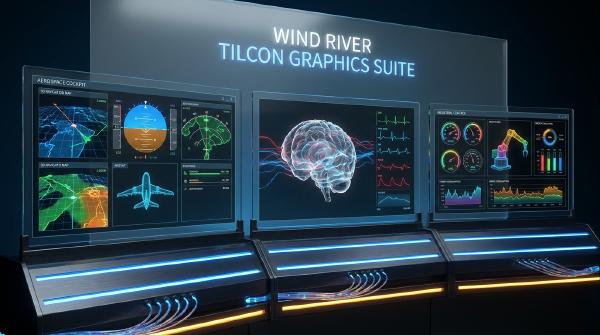
Understanding the Wind River Tilcon Graphics Suite 5.8.1 Media Structure
The Wind River Tilcon Graphics Suite 5.8.1 provides a specialized graphics library for embedded systems. When you unpack the installation media, the directory structure reveals how the suite organizes its assets, documentation, and cross-platform installers. Understanding this layout is the first step for developers integrating Tilcon into a real-time environment.
📂 Media Directory Overview #
The root directory contains the core execution files and metadata required for the initial setup.
- 3rd_party_licensor_notices: Contains the
tilcon-5.8.pdffile. This is mandatory for legal compliance regarding third-party components used within the suite. - images: This directory houses the raw assets and resources. It contains several CDR-prefixed files (e.g.,
CDR-R141785.1-1-08), which are the graphical components the library renders. - installer: Contains the
host_infofile, which the setup binaries use to identify the host environment during the installation process. - license.htm: The HTML-based license agreement.
- mediaId: A unique identifier for the media set.
- readme.txt: General instructions and high-level information about the suite.
- sdf.xml: A Structured Data File used by the installer to define the installation logic and file paths.
📖 Documentation and Developer Resources #
The docs directory is the most critical area for engineers. It contains the specific guides needed to move from environment setup to actual application development.
DDK and SDK Guides #
The suite provides distinct documentation for different levels of system interaction:
- wr_media_lib_ddk_programmers_guide_5.3.pdf: Focuses on the Driver Development Kit (DDK) for low-level hardware interaction.
- wr_media_lib_sdk_programmers_guide_5.3.pdf: Focuses on the Software Development Kit (SDK) for application-level graphics programming.
Tutorials and User Guides #
- wr_tilcon_graphics_suite_tutorial_5.8.pdf: A step-by-step tutorial for getting started with the 5.8.1 release.
- wr_tilcon_graphics_suite_users_guide_5.8.pdf: The comprehensive reference manual for end-users and developers.
For deeper integration with real-time operating systems, these resources often complement the capabilities found in VxWorks.
⚙️ Installation and Deployment #
Tilcon 5.8.1 supports a variety of host platforms. The media includes specific binaries to handle different operating systems:
- setup.exe: The primary installer for Windows environments.
- setup_linux: The installer for standard Linux distributions.
- setup_linux32: A specific installer for 32-bit Linux architectures.
- setup_solaris: The installer for Solaris systems.
When deploying on embedded hardware, ensure that the host environment matches the requirements specified in the host_info file before running the respective setup binary. For systems utilizing the VxWorks 7 platform, ensure the graphics library version is compatible with your specific hardware abstraction layer.
To obtain Tilcon 5.8, follow the WeChat official account: Beinan Nanbei.